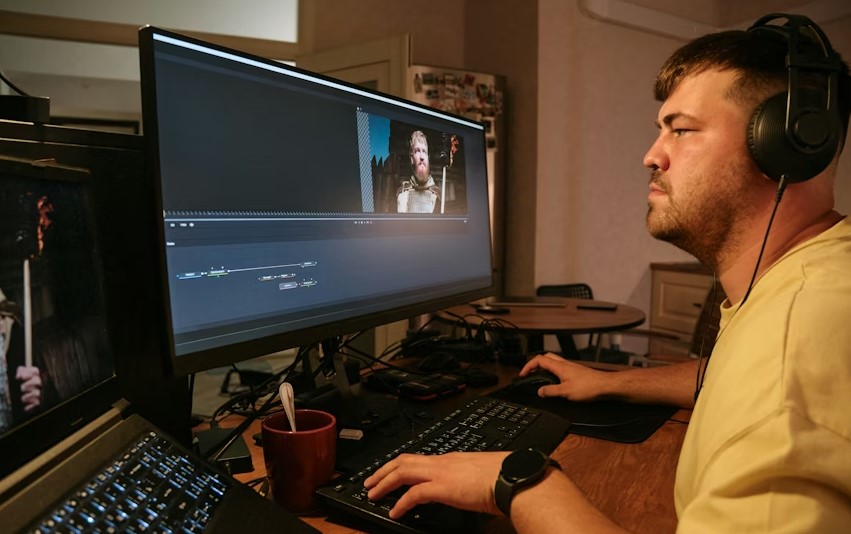
Artificial Intelligence has changed the way people edit images in modern digital workflows. What once required professional skills, expensive software, and long hours of manual work can now be done in minutes using AI-powered image editing software.
These tools help users enhance image quality, remove backgrounds, adjust lighting, replace objects, and even generate entirely new visuals automatically.
AI image editing software is now widely used by photographers, graphic designers, digital marketers, social media managers, e-commerce sellers, bloggers, and everyday users.
The biggest advantage of AI-based editors is their ability to simplify complex editing tasks while maintaining professional-level quality.
In this article, we will explore the Top 10 Best AI Image Editing Software available today. Each tool is reviewed based on features, usability, performance, and real-world use cases to help you make an informed decision.
Here Are The Full Details About Top 10 Best AI Image editing software
1. Adobe Photoshop
Adobe Photoshop remains one of the most powerful and trusted image editing tools in the world. With the introduction of AI-powered features such as content-aware fill, generative editing, and intelligent object selection, Photoshop has become even more efficient.
The AI tools help users remove unwanted elements, extend backgrounds, enhance facial features, and improve image quality with minimal effort. Despite its advanced capabilities, Photoshop still offers full manual control for professionals who want precision.
This software is best suited for designers, photographers, and agencies that require high-quality output and complete creative flexibility.
2. Luminar Neo
Luminar Neo is a modern AI-driven photo editing software designed for photographers who want professional results without complicated workflows. It uses artificial intelligence to analyze images and apply intelligent adjustments automatically.
Features such as sky replacement, background blur, object removal, and lighting enhancement work with just a few clicks. Luminar Neo is especially popular among landscape and portrait photographers.
The clean interface and AI automation make it easy for beginners while still offering advanced tools for experienced users.
3. Canva AI Photo Editor
Canva has grown from a simple design platform into a powerful AI-based photo editing tool. Its AI features include background removal, image enhancement, object erasing, and text-to-image creation.
Canva is cloud-based, which means users can edit images directly from a web browser without installing software. The platform is extremely user-friendly and suitable for people with no design experience.
This tool is widely used by content creators, marketers, bloggers, and small business owners who need fast and professional-looking visuals.
4. Fotor AI
Fotor AI is an easy-to-use online photo editor that focuses on quick enhancements and automatic adjustments. It uses AI to improve colors, sharpen details, remove backgrounds, and retouch images.
The software is ideal for users who want fast results without learning complex editing techniques. Fotor works well for social media images, website visuals, and basic design tasks.
Both free and premium versions are available, making it accessible to a wide range of users.
5. Pixlr AI
Pixlr AI is a browser-based image editing tool that combines traditional editing features with AI-powered automation. It allows users to remove backgrounds, cut out objects, and apply intelligent effects quickly.
Pixlr is especially useful for users who want lightweight editing without downloading large software files. Its AI tools are fast and accurate, making it suitable for quick design projects.
The interface is clean and works well for both beginners and intermediate users.
6. PhotoRoom
PhotoRoom is an AI image editing software mainly focused on background removal and product photo enhancement. It is widely used in e-commerce and online marketplaces.
The AI automatically detects the main subject of an image and removes the background with impressive accuracy. Users can then add clean backgrounds, shadows, and branding elements.
PhotoRoom is a great choice for sellers who want professional product images without hiring a photographer.
7. Topaz Photo AI
Topaz Photo AI is designed specifically for image quality enhancement. It uses advanced AI models to reduce noise, sharpen images, and upscale low-resolution photos.
This software is especially useful for photographers working with old images, low-light photos, or compressed files. The AI preserves details while improving clarity.
Topaz Photo AI is more focused on image improvement rather than creative design.
8. Remove.bg
Remove.bg is a specialized AI tool that removes image backgrounds automatically. Users simply upload an image, and the AI instantly removes the background with clean edges.
This tool is widely used by designers, marketers, and online sellers. It saves a significant amount of time compared to manual background removal.
Remove.bg can be used as a web tool, desktop application, or integrated into workflows through its API.
9. PicsArt AI
PicsArt AI is a creative image editing platform popular among mobile users and social media creators. It combines AI automation with creative tools such as filters, effects, and design elements.
The AI features help with background removal, object replacement, and image enhancement. PicsArt is especially suitable for creating engaging visual content.
It works well for users who want both creativity and ease of use.
10. Runway ML
Runway ML is an advanced AI creative platform that supports image editing, background replacement, and generative visuals. It is often used by professionals working on experimental or creative projects.
The platform offers powerful AI tools that go beyond basic editing, making it suitable for users who want cutting-edge technology.
Runway ML is best suited for advanced creators and digital artists.
FAQs About Best AI Image editing software
What is AI image editing software?
AI image editing software uses artificial intelligence to automate and improve image editing tasks such as enhancement, background removal, and object detection.
Is AI image editing suitable for beginners?
Yes, many AI image editors are designed for beginners and offer simple, one-click solutions.
Can AI image editors replace professional designers?
AI tools can automate many tasks, but human creativity and decision-making are still important for professional work.
Are AI image editing tools safe for commercial use?
Most tools allow commercial use, but users should always review licensing terms before publishing images.
Which AI image editor is best for product photos?
PhotoRoom and Remove.bg are excellent choices for e-commerce and product photography.
Do AI image editors require an internet connection?
Web-based tools require internet access, while some desktop applications can work offline.
Are free AI image editors effective?
Free versions are useful for basic tasks, but premium versions offer better quality and advanced features.
Conclusion
AI image editing software has made high-quality image editing accessible to everyone. From professional tools like Adobe Photoshop to beginner-friendly platforms like Canva, users now have a wide range of options.
The right choice depends on your goals, skill level, and type of work. As AI technology continues to evolve, these tools will become even more powerful, faster, and easier to use.