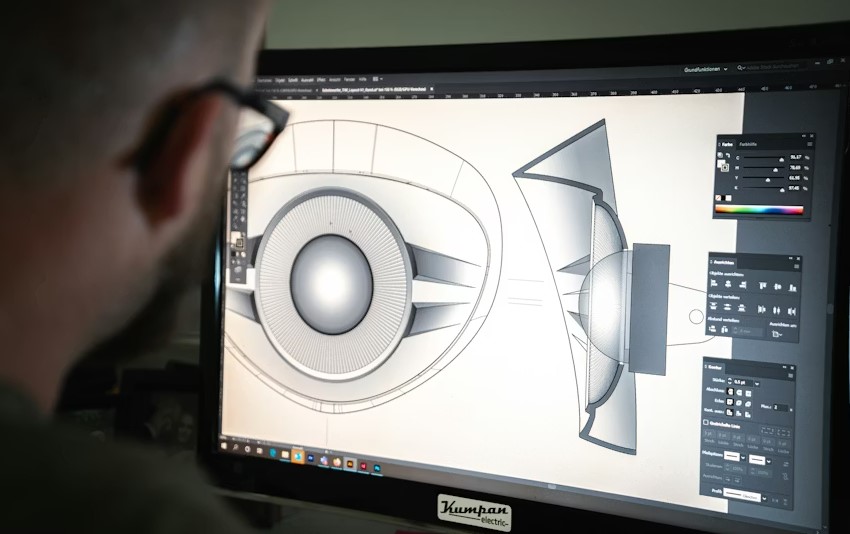
In today’s visually driven world, digital images play a vital role in communication, marketing, storytelling, and personal creativity. From social media posts and website banners to professional photography and advertising campaigns, high-quality visuals can make a lasting impression. This is where digital picture editing software becomes essential.
Modern image editing tools allow users to enhance colors, correct lighting, remove unwanted elements, retouch photos, and create stunning designs with precision.
Whether you are a professional photographer, graphic designer, content creator, or a beginner who simply wants better-looking photos, choosing the right picture editing software can significantly improve your results.
In this article, we explore the Top 10 Best Digital Picture Editing Software available today. Each tool is reviewed based on usability, features, performance, pricing, and real-world use cases. The goal is to help you find the best option that fits your needs without unnecessary complexity.
Here Are The Full Details About Top 10 Best Digital Picture Editing Software
1. Adobe Photoshop
Adobe Photoshop is widely regarded as the industry standard for digital picture editing. Used by professionals across photography, graphic design, and digital art, Photoshop offers unmatched control and flexibility.
Photoshop supports advanced layer-based editing, precise selection tools, color correction, retouching, and compositing. It also integrates seamlessly with other Adobe products, making it a powerful part of a professional creative workflow.
Although Photoshop has a learning curve, its extensive tutorials and large user community make it easier to master over time. For professionals who demand full creative control, Photoshop remains the top choice.
2. Adobe Lightroom
Adobe Lightroom is designed specifically for photographers who need efficient photo management and high-quality editing. Unlike Photoshop, Lightroom focuses on non-destructive editing, meaning your original files remain untouched.
Lightroom excels in color grading, exposure correction, and batch editing. It allows users to apply presets, organize photo libraries, and sync edits across devices. This makes it ideal for photographers handling large volumes of images.
Its clean interface and intuitive controls make Lightroom a favorite among both professionals and serious hobbyists.
3. GIMP
GIMP (GNU Image Manipulation Program) is a powerful open-source alternative to premium photo editing software. It offers many advanced features without any cost.
GIMP supports layers, masks, filters, and custom plugins. While its interface may feel different from commercial tools, it is highly customizable and capable of professional-level editing.
For users looking for a free yet capable image editor, GIMP is an excellent option.
4. Affinity Photo
Affinity Photo is known for delivering professional-grade editing tools at a one-time purchase price. This makes it attractive to users who want powerful features without a subscription.
Affinity Photo supports RAW editing, advanced retouching, HDR merging, and precise color adjustments. Its performance is fast and optimized, even on large files.
This software is especially popular among designers and photographers who want a cost-effective alternative to subscription-based tools.
5. Corel PaintShop Pro
Corel PaintShop Pro is a feature-rich photo editing solution designed exclusively for Windows users. It offers a wide range of tools for photo correction, creative effects, and graphic design.
PaintShop Pro combines ease of use with advanced features, making it suitable for intermediate users who want more control without overwhelming complexity.
Its one-time purchase model and frequent updates make it a strong contender in the digital picture editing market.
6. Canva
Canva has gained massive popularity for its simplicity and accessibility. While not as advanced as professional photo editors, Canva is perfect for quick edits and visual content creation.
Canva offers drag-and-drop tools, templates, filters, and basic photo adjustments. It is widely used for social media graphics, presentations, and marketing materials.
For users who value speed and ease over deep editing capabilities, Canva is an excellent choice.
7. Pixlr
Pixlr is a browser-based photo editing tool that provides impressive features without requiring installation. It is ideal for users who need quick edits on the go.
Pixlr includes layers, filters, AI-powered tools, and basic retouching options. Its interface is clean and responsive, making it accessible even for beginners.
As an online solution, Pixlr is perfect for users who want flexibility and convenience.
8. Capture One Pro
Capture One Pro is a high-end photo editing software designed primarily for professional photographers. It is especially known for its superior color grading and RAW processing capabilities.
Capture One offers precise control over color, sharpness, and detail. It is widely used in studio photography and commercial workflows.
Although it comes at a premium price, its performance and image quality justify the investment for professionals.
9. Luminar Neo
Luminar Neo leverages artificial intelligence to simplify complex editing tasks. It allows users to enhance photos with minimal effort.
Luminar Neo includes AI-powered sky replacement, portrait enhancement, and lighting adjustments. These tools save time while delivering impressive results.
This software is ideal for photographers who want professional-looking edits without spending hours on manual adjustments.
10. Photopea
Photopea is a web-based image editor that closely resembles Photoshop in functionality. It supports PSD files and works entirely within a browser.
Photopea is especially useful for users who need quick access to advanced editing tools without installing software. It is compatible with multiple file formats and devices.
For students and casual users, Photopea offers impressive capabilities at no cost.
FAQs About Best Digital Picture Editing Software
Which digital picture editing software is best for beginners?
For beginners, Canva and Pixlr are excellent choices due to their simple interfaces and easy-to-use tools.
What is the best professional photo editing software?
Adobe Photoshop and Capture One Pro are considered the best options for professional-level editing.
Is there any good free picture editing software?
Yes, GIMP and Photopea offer powerful editing features without any cost.
Which software is best for photographers?
Adobe Lightroom and Capture One Pro are specifically designed for photographers and photo management.
Can online photo editors replace desktop software?
Online editors like Pixlr and Photopea are convenient, but desktop software offers more advanced control.
What software is best for social media graphics?
Canva is widely used for creating social media visuals quickly and efficiently.
Is AI-based photo editing reliable?
AI-based tools like Luminar Neo can save time and produce excellent results when used correctly.
Do I need expensive software for basic photo editing?
No, many affordable and free tools provide enough features for basic editing needs.
Conclusion
Selecting the best digital picture editing software depends on your experience level, creative goals, and budget. Professionals may prefer advanced tools like Photoshop or Capture One Pro, while beginners and casual users might find Canva or Pixlr more suitable.
Each software listed in this guide has its own strengths, and there is no single solution that fits everyone. By understanding your requirements and exploring the features discussed above, you can confidently choose the tool that helps you create visually stunning images with ease.