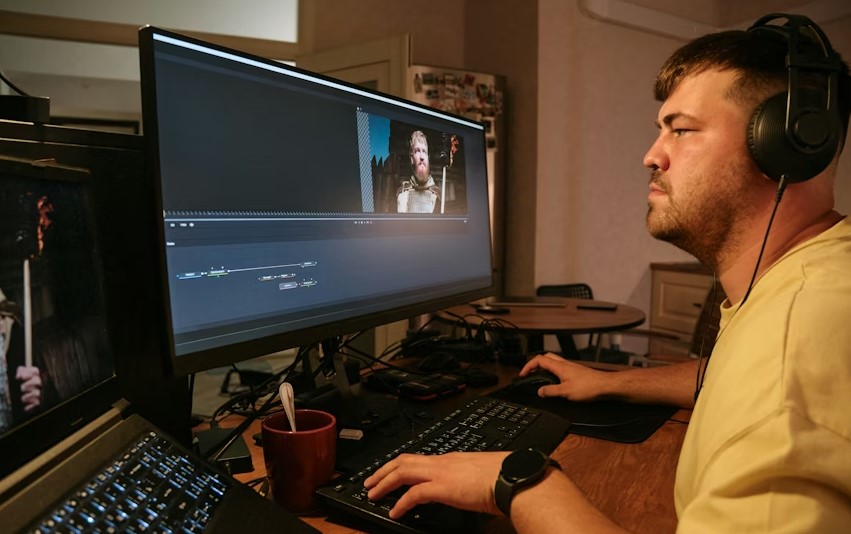
Video editing has become one of the most essential skills in today’s digital world. From YouTube creators and freelance editors to filmmakers and corporate media teams, everyone relies on professional video editing software to produce high-quality content.
The right editing tool can save time, improve creativity, and help you deliver visually stunning results that engage your audience.
However, with so many options available in the market, choosing the best professional video editing software can feel overwhelming. Each software comes with unique strengths, system requirements, pricing models, and learning curves.
In this detailed guide, we will explore the top 10 best professional video editing software, highlighting their features, benefits, and ideal use cases.
Here Are The Full Details About Top 10 Best Professional Video Editing Software
1. Adobe Premiere Pro
Adobe Premiere Pro is widely regarded as one of the most powerful and flexible professional video editing software available today. It is used by YouTubers, TV broadcasters, filmmakers, and digital marketing agencies across the globe.
This software supports almost every video format and integrates seamlessly with other Adobe tools such as After Effects, Photoshop, and Audition. Its timeline-based editing system is intuitive, yet powerful enough for complex projects like feature films and commercials.
Premiere Pro also offers advanced color grading, audio mixing, motion graphics templates, and AI-powered features that speed up editing tasks. Although it follows a subscription-based pricing model, many professionals find it worth the investment due to its reliability and constant updates.
2. Final Cut Pro
Final Cut Pro is a premium video editing software developed exclusively for macOS users. It is especially popular among professional editors who work within the Apple ecosystem.
One of its strongest advantages is performance. Final Cut Pro is highly optimized for Apple hardware, delivering smooth playback and fast rendering even with high-resolution footage. The magnetic timeline allows for efficient editing without worrying about clip collisions.
This software is a one-time purchase, which makes it attractive for long-term professional use. With advanced color tools, 360-degree video editing, and powerful media organization, Final Cut Pro is an excellent choice for serious editors.
3. DaVinci Resolve
DaVinci Resolve stands out as one of the best professional video editing software for color correction and color grading. It is widely used in the film and television industry for its industry-leading color tools.
What makes DaVinci Resolve unique is that it combines video editing, color grading, visual effects, motion graphics, and audio post-production in a single application. This all-in-one approach reduces the need for switching between multiple software tools.
Another major advantage is its free version, which offers an impressive set of professional features. For advanced users, the paid version unlocks additional tools, making it suitable for both beginners and high-end professionals.
4. Avid Media Composer
Avid Media Composer has been a trusted name in professional video editing for decades. It is widely used in Hollywood films, television shows, and large-scale production environments.
This software is known for its stability, precision, and collaboration features. It allows multiple editors to work on the same project simultaneously, which is essential for large production teams.
While Avid Media Composer has a steeper learning curve compared to other editors, it offers unmatched control over complex editing workflows. Professionals who work in broadcast or film production often consider it an industry standard.
5. Vegas Pro
Vegas Pro is a professional video editing software known for its user-friendly interface and powerful editing capabilities. It is especially popular among independent filmmakers and content creators.
The software offers advanced timeline editing, professional color grading, audio tools, and visual effects. Unlike some competitors, Vegas Pro allows for quick editing without sacrificing precision.
Its flexible pricing options and straightforward workflow make it a strong alternative for editors who want professional results without a complex learning curve.
6. HitFilm Pro
HitFilm Pro is a powerful combination of video editing and visual effects software. It is widely used by creators who want cinematic effects, compositing, and motion graphics within a single platform.
This software includes advanced tools such as 3D compositing, particle simulations, and professional-grade effects. It is suitable for filmmakers, YouTubers, and video professionals who want to add visual impact to their projects.
HitFilm Pro also supports a wide range of formats and integrates well with external plugins, making it a versatile choice for creative professionals.
7. Lightworks
Lightworks is a professional video editing software that has been used in the production of many well-known films. It offers a clean interface and powerful editing tools suitable for professional workflows.
One of its key strengths is real-time effects and high-quality video output. Lightworks supports multiple formats and resolutions, making it ideal for both online and broadcast projects.
Although it may require some time to master, Lightworks provides reliable performance and professional-level editing capabilities.
8. EDIUS Pro
EDIUS Pro is a fast and reliable video editing software designed for broadcast professionals and news production. It is known for its real-time editing performance and format flexibility.
This software can handle multiple video formats on the same timeline without the need for rendering. It also supports high-resolution formats, including 4K and HDR workflows.
EDIUS Pro is particularly valued for its stability and speed, making it a trusted choice for time-sensitive production environments.
9. Corel VideoStudio Ultimate
Corel VideoStudio Ultimate is a professional-grade editing software that balances power and ease of use. It is suitable for content creators who want advanced features without a steep learning curve.
The software includes multi-camera editing, motion tracking, and color grading tools. It also supports a wide range of video formats and resolutions.
With its affordable pricing and intuitive interface, Corel VideoStudio Ultimate is a solid choice for professionals working on a budget.
10. CyberLink PowerDirector
CyberLink PowerDirector is a high-performance video editing software designed for speed and efficiency. It is popular among professionals who need fast turnaround times.
The software includes AI-powered tools, advanced effects, and professional-grade color correction. It also supports high-resolution video formats and fast rendering.
PowerDirector offers a balance between ease of use and professional features, making it suitable for both experienced editors and advanced beginners.
FAQs About Best Professional Video Editing Software
What is the best professional video editing software for beginners?
For beginners, software like DaVinci Resolve (free version) and Corel VideoStudio Ultimate are excellent options. They offer professional features while remaining relatively easy to learn.
Which video editing software is best for filmmaking?
Adobe Premiere Pro, Avid Media Composer, and DaVinci Resolve are widely used in filmmaking due to their advanced editing, color grading, and collaboration tools.
Is free video editing software good enough for professional work?
Yes, some free software like DaVinci Resolve provides powerful tools that are suitable for professional projects, especially for independent creators and freelancers.
What software do YouTubers use for professional editing?
Many YouTubers use Adobe Premiere Pro, Final Cut Pro, and Vegas Pro because of their flexibility, plugin support, and fast editing workflows.
Which video editing software is best for color grading?
DaVinci Resolve is considered the industry leader in color grading and is widely used in film and television production.
Do professional video editors use multiple software tools?
Yes, many professionals use a combination of editing, audio, and visual effects software to achieve the best results.
Conclusion
Selecting the best professional video editing software depends on your specific needs, budget, and experience level. Whether you are a filmmaker, content creator, or corporate editor, the tools listed in this article offer reliable performance and professional-grade features.
By understanding the strengths of each software, you can make an informed decision that enhances your workflow and helps you produce high-quality video content consistently. Investing time in learning the right tool will pay off in the long run, both creatively and professionally.